Built for iPhone
Stop guessing.
Size it right.
Find the cooling capacity your room actually needs — from its real conditions.
Scan the room, answer a short questionnaire, and get a BTU estimate with a full load breakdown — before you buy.
The same AC can be wrong
in two different rooms.
Square footage is only the start. West-facing glass, a top floor, poor airtightness, three occupants — each one changes the answer.
How it works
Three steps. One number.
Scan the room
Walk the room with a supported iPhone to capture area, ceiling height and window positions.
Answer the questions
Walls, glazing, shading, insulation, airtightness, occupants, lighting — all editable.
Get the capacity
Calculated load, comfort recommendation and fast-cooling option, with a full breakdown.
RoomPlan
Scan once.
Dimensions done.
No tape measure. No estimating.
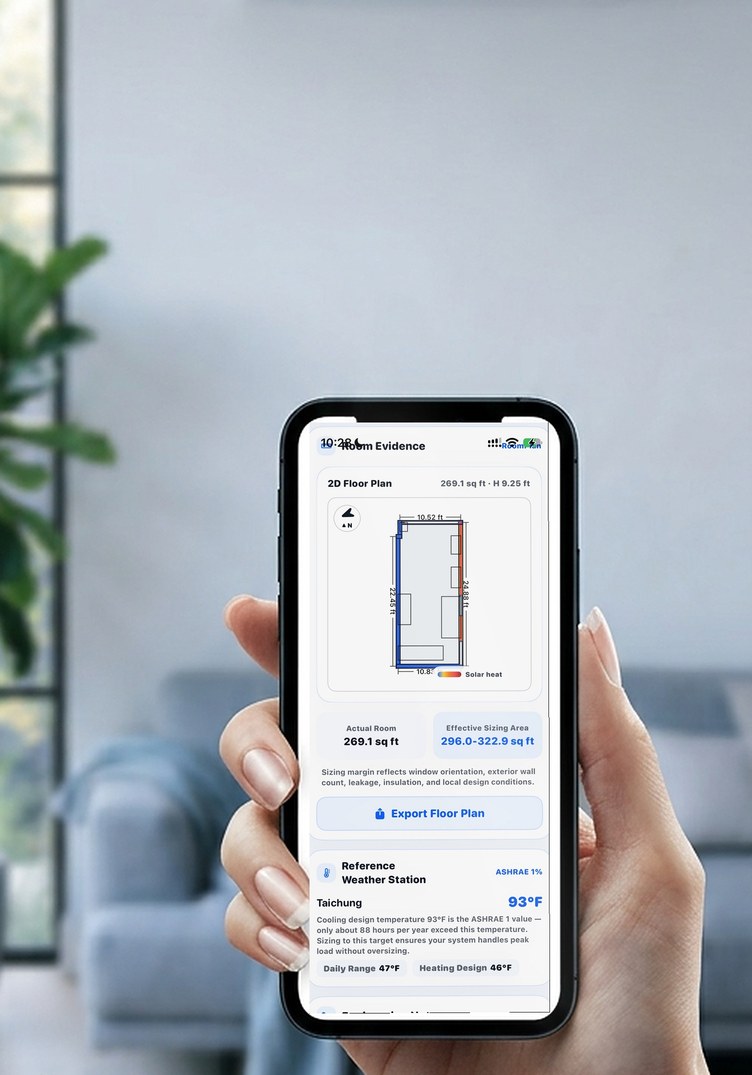
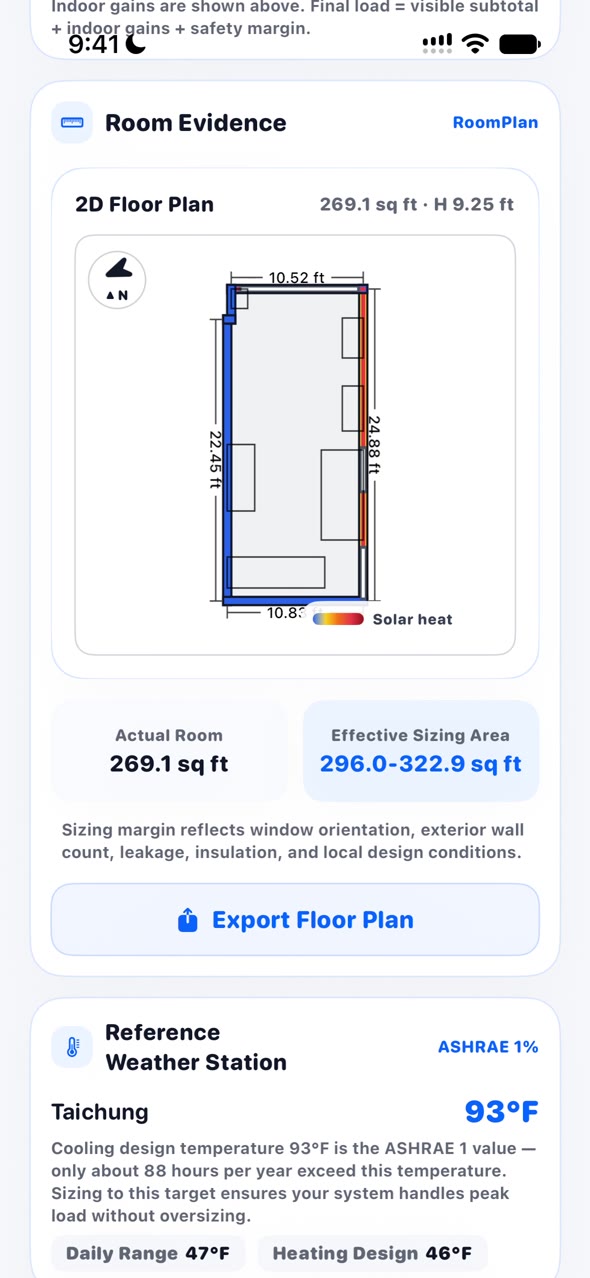
AC Match captures the real area, ceiling height, walls and windows, then weighs each exterior surface by sun exposure. The plan marks the hottest wall.
- Measured area269.1 sq ft
- Ceiling9.3 ft
- Glazing103 sq ft
Load Breakdown
Where does
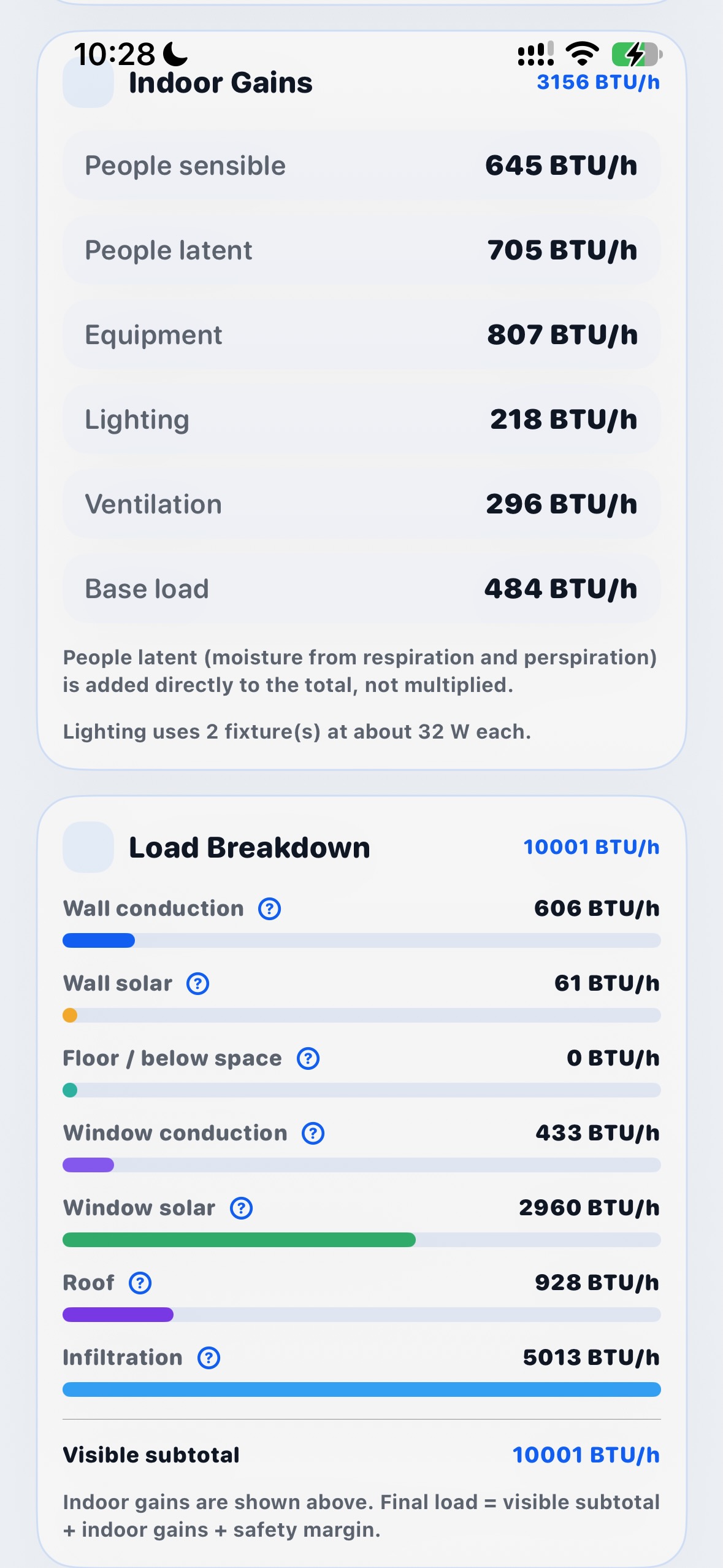
10,001 BTU come from?
Cooling load is not a black box.
Wall conduction, window solar gain, roof, floor and infiltration — plus people, equipment, lighting and ventilation — each calculated and listed separately, so you know what to fix first.
- Window solar2,960 BTU/h
- Infiltration5,013 BTU/h
- Roof928 BTU/h
- Wall conduction606 BTU/h
In motion
See it run.
From scan to recommended size in under a minute.
Inputs
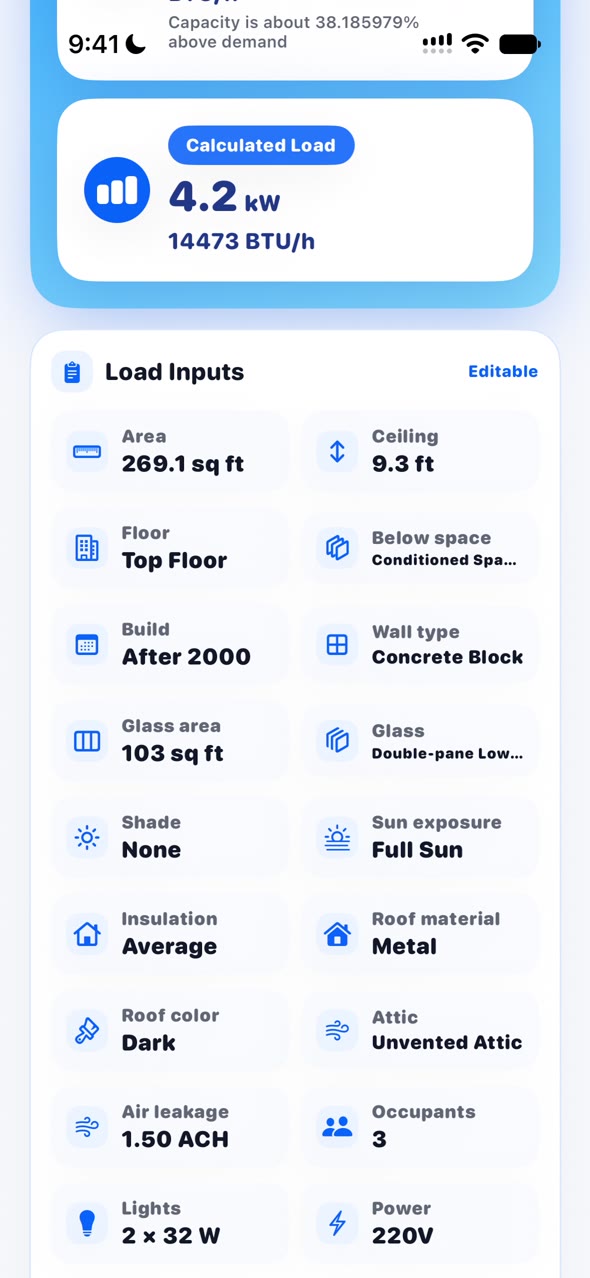
It asks what actually matters.
18 parameters, all editable, recalculated instantly.
One room. Three answers.
A number you can act on.
Calculated load
14,473 BTU/h, summed from the room's actual conditions.
Comfort recommendation
18,000 BTU/h, with a healthier cooling margin.
Fast cooling
20,000 BTU/h, for hot, west-facing or high-traffic rooms.
Values from a single 269.1 sq ft assessment in Taichung, sized to ASHRAE 1% design conditions.
Questions
How big an AC do I need for my room?
Floor area is only the starting point. The real load also depends on ceiling height, window area and orientation, west-facing sun, top-floor exposure, insulation and airtightness, occupancy and appliances. AC Match turns each of these into BTU and kW instead of multiplying area by a fixed factor.
Can I use it without a LiDAR iPhone?
Yes. On supported models you can walk around the room to capture the actual area, ceiling height and window positions. Without LiDAR you can enter dimensions by hand — the calculation is identical.
How do BTU and kW convert?
1 kW is about 3,412 BTU/h. The app shows both BTU/h and kW, so you never have to convert while reading a spec sheet.
What is the calculation based on?
Following ASHRAE 1% design conditions, it sums wall conduction, window solar gain, roof and floor, infiltration, plus internal loads from people, equipment, lighting and ventilation, then totals them into BTU and a recommended capacity.
Is my room data uploaded?
No. Scan results and questionnaire answers stay on your iPhone. No account is needed and nothing is sent to a server.
Does it cost anything?
The download and capacity estimate are free. Unlocking Pro adds unlimited rooms and addresses, 2D floor plan export, and full load reports — a one-time purchase with no subscription.
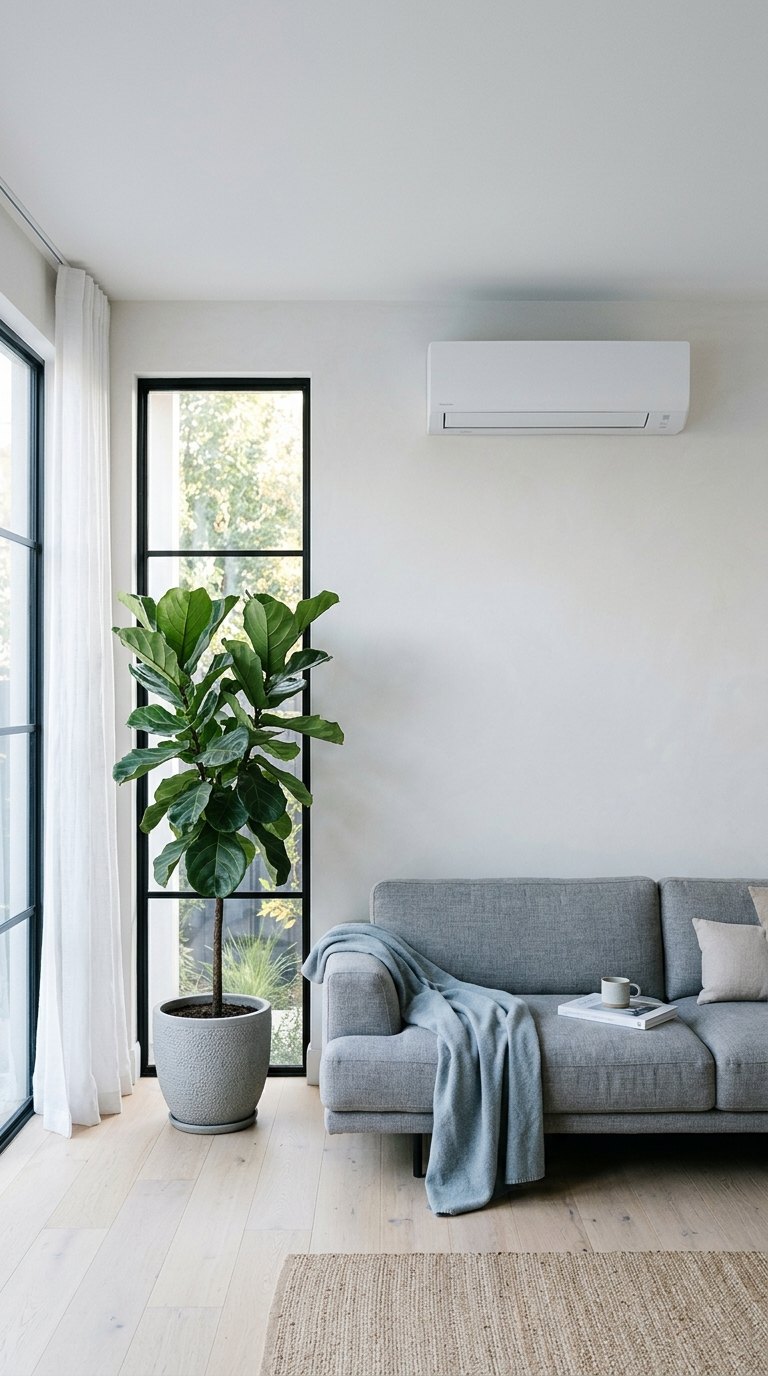
Pick the right size first.
Then pick the unit.
Free download. No account, and your room data stays on your iPhone.
Download on the App Store Room scan needs a LiDAR-capable iPhone. Without one, you can enter dimensions manually.AC Match provides an educational, first-pass estimate. It is not a substitute for an on-site inspection, a Manual J calculation, or advice from a qualified HVAC professional.